New Functions in PythonSCAD
OpenSCAD already got a rich set of functions, however, there could be some more ...
A note on imports
Previously Python designs used from openscad import *, but now the recommended
import is from pythonscad import *, which is
a strict superset of openscad and will host PythonSCAD-only features
going forward:
Both forms call the same underlying C extension. See
doc/python-modules.md
for the layered module layout.
divmatrix
Sometimes its helpful to use multmatrix with the inverse of a matrix. Why don't use divmatrix right from the beginning ?
from pythonscad import *
mat=[[1,0,0,10],[0,1,0,0],[0,0,1,0],[0,0,0,1]] # Move to the right by 10

a=cube([1,1,1])
b=a.multmatrix(mat) # move to right
c=b.divmatrix(mat) # move back left
c.show()
mesh
With mesh function you can convert solid to a set of vertices and triangles like so:
from pythonscad import *

u=cube([1,1,1]) | cylinder(d=1,h=10)

pts, tris = u.mesh()
# Now you could use the pts for further processing or even manipulate them and do this ...

v = polyhedron(pts, tris)
v.show()
path_extrude
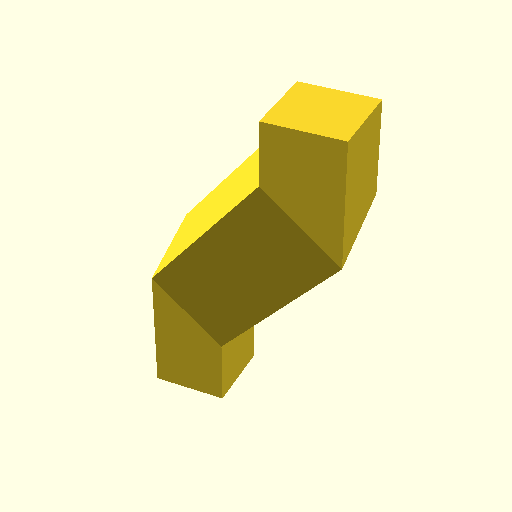
OpenSCAD has linear_extrude to move along a straight line and rotate_extrude to extrude along an arc. But there is nothing which can extrude along an arbritary line. This is reason to create path_extrude. With path_extrude you can extrude any shape along a path given by points. A 4th parameter in a vertex means the radius in this corner
from pythonscad import *
p=path_extrude(square(1),[[0,0,0],[0,0,10,3], [10,0,10,3],[10,10,10]]);
show(p);
quick transformations
Sometime translate or rotate is quite a burden to write when you just want to change one coordinate and still have to specify 3 values in the transformation
from pythonscad import *
# these are easier to write instead specifying full translate or rotate
obj=cube(2)
part1 = obj.right(2.5)
part2 = obj.left(2.5)
part3 = obj.up(2.5)
part4 = obj.down(2.5)
part5 = obj.front(2.5)
part6 = obj.back(2.5)
part7 = obj.rotx(90)
part8 = obj.roty(135)
part9 = obj.rotz(-45)
part5.show()
pulling objects apart
Sometimes its helpful to alter an existings STL and just adjust dimensions, whowever scale is not the right approach because you only want the new dimension just on one place, not all over the object. This is where pull can be helpful pull defines one point one direction where it inserts "void" right into the spanned area. Best use this to work on STL's
from pythonscad import *
# One Cube
c=cube([2,2,5])

p=c.pull([1,1,3],[4,-2,5])  # Attach Point , Pull amount
p.show()
Signed distance Functions within OpenSCAD
No need to create SDF objects in other tools and import into OpenSCAD after. Thanks to embedded libfive this can be done online. Watch this small sample to get an idea, how easy it is:
from pythonscad import *
from pylibfive import *

# Just assemble you libfive object first
c=lv_coord()
s1=lv_sphere(lv_trans(c,[2,2,2]),2)
b1=lv_box(c,[2,2,2])
sdf=lv_union_stairs(s1,b1,1,3)

# And mesh it finally to get something, that PythonSCAD can display
fobj=frep(sdf,[-4,-4,-4],[4,4,4],20)
show(fobj)
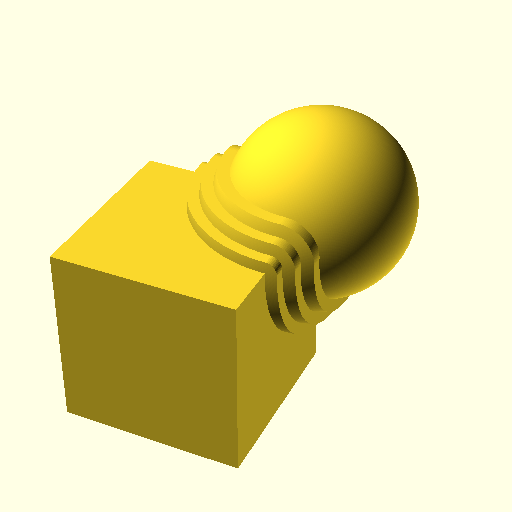
On a lower level, SDF used a formula and creates surfaces in the area, where this function hits zero. All functions, which are provided by libfive are also available in openSCAD. These are
import libfivew as lv
lv.x() # returns x coodinate
lv.y() # returns y coodinate
lv.z() # returns z coodinate
lv.sqrt(x)
lv.square(x)
lv.abs(x)
lv.max(x,y)
lv.min(x,y)
lv.sin(x)
lv.cos(x)
lv.tan(x)
lv.asin(x)
lv.acos(x)
lv.atan(x)
lv.exp(x)
lv.log(x)
lv.pow(x)
lv.comp(a,b)
lv.atan2(x,y)
lv.print(formula) # print tree of formula
align
Align can be used to combine combjects together without difficult transformations
from pythonscad import *
c = cube()
c1 = c
# scale with -1 will also invert the directions of all handles, so the objects will be abutting instead of coincident
c2 = c.align(scale(c1.origin,-1), c.origin)

show(c1 | c2)
edge
PythonSCAD has a new primitive called "edge" which just has a length
from pythonscad import *
e = edge(size=10, center=True)

# and of course you can extrude it
square = linear_extrude(e, height=10)
square.show()

# or get back the edges in a python list
all_e = square.edges()
fillet
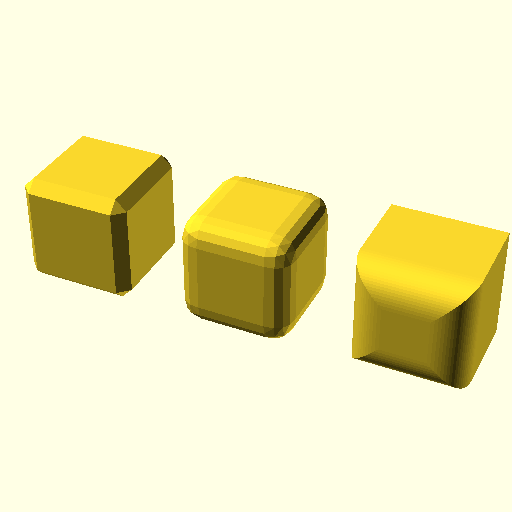
You can use fillet to add roundings and chamfers to your existing object an easy cases, so dont challenge the algorithmus. Usually if you have an idea, how to fillet, the tool can do it, too
from pythonscad import *

c=cube(10);

mask=cube([30,1,30],center=True)

demo = [
    c.fillet(1), # Normal fillet with r=1, fn=2, thus bevel
    c.fillet(2,fn=5).right(15), #fillet with r=2 and more points
    c.fillet(3,mask,fn=20).right(30), # really round, but just with masked edges(which are front)
]
show(demo)
faces
You can retrieve a list of faces for any solid in a python list
from pythonscad import *

core=sphere(r=2)
faces = core.faces()

flower = core
for f in faces:
    flower |= f.linear_extrude(height=4)
flower.show()
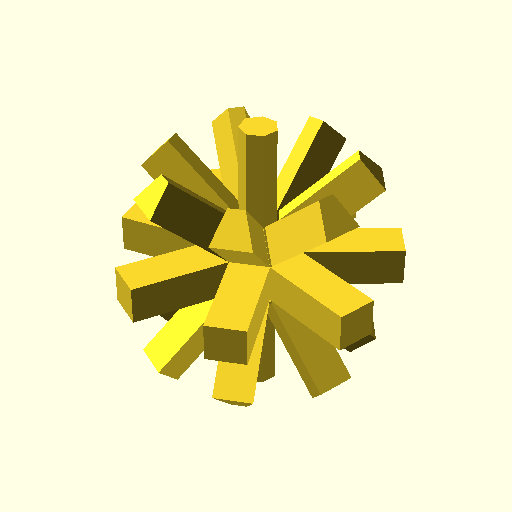 note that objects returned by faces (and edges) have a property called 'matrix' which is a 4x4 eigen matrix which shows their orientation in space. it can be used to filter them
export
You can use this to export your data to disk programmatically like so:
from pythonscad import *
c = cube(10)
cyl = cylinder(r=4,h=4)

c.export("mycube.stl")

# with 3mf format you can even store many objects at once

export( {
    "cube" : c,
    "cylinder" : cyl
},"myfile.3mf")
MultiToolExporter
When working with multi-tool / multi-color 3D printers, a single model is
often split into one part per filament. MultiToolExporter is a
PythonSCAD-only list subclass that automates that split: it stores
(name, object) pairs (the same shape as dict.items()) and, on export,
writes each part as f"{prefix}{name}{suffix}", where each part has all
later objects subtracted from it. That cumulative-difference rule
guarantees overlapping volume is claimed by exactly one part.
from pythonscad import *

# Two-color flag: red star punched out of a blue background.
background = cube([200, 100, 1]).color("blue")
star       = cylinder(r=20, h=2, fn=5).translate([100, 50, -0.5]).color("red")

exporter = MultiToolExporter("out/flag-", ".stl", mkdir=True)
exporter.append(("blue", background))  # blue: rectangle minus the star area
exporter.append(("red",  star))        # red: the star itself (later wins)
exporter.export()
# writes out/flag-blue.stl and out/flag-red.stl

# Or write one 3MF file with "blue" and "red" as separate named objects.
exporter.export(single_file="out/flag.3mf")
exporter.show() previews the same split inside the GUI without writing
files, and items can also be seeded directly via the constructor's
items=[...] argument. See
Multi-tool Export for the full reference.
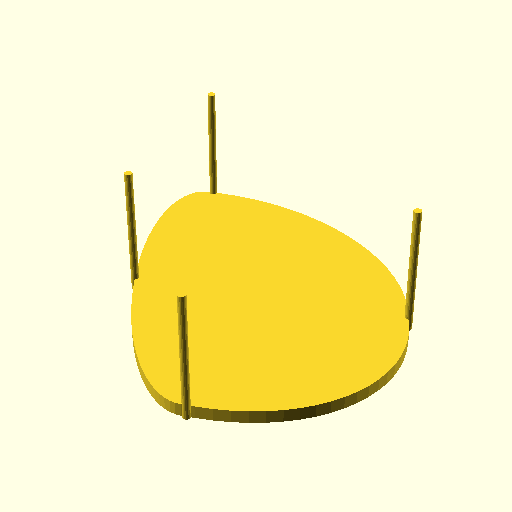
spline
Spline is like 'polygon' just with the difference, that the resulting object is very round and will meet the given points
from pythonscad import *

pts=[[0,6],[10,-5],[20,10],[0,19]]
s = spline(pts,fn=20).linear_extrude(height=1)
for pt in pts:
    s |= (cylinder(r=0.3,h=10,fn=20)+pt)
s.show()
polyline
Polyline is a set of vertices which are connected with a line in between. It's not neccessarily closed. It can carry color but has not area and it's ignored in CSG operations. Its very useful to define cut lines in laser cutting.
skin
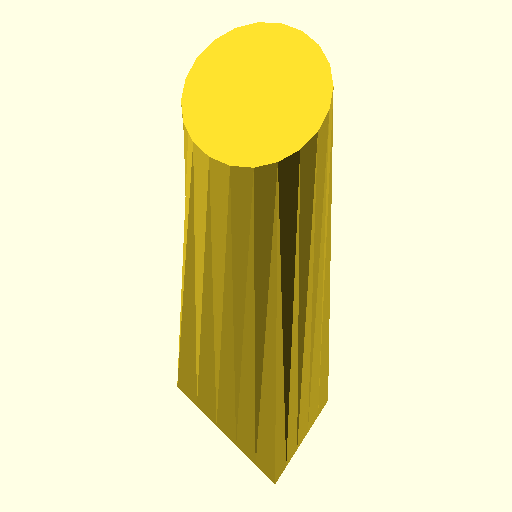
Thanks to scrameta, pythonscad got wonderful skin. skin is like you put arbritary 2d objects in space and skin will cover all of them tightly
This is basically morphing a square into a circle
from pythonscad import *
a=square(4,center=True).roty(40)
b=circle(r=2,fn=20).rotx(40).up(10)
s=skin(a,b)
s.show()
add_parameter
This is how PythonSCAD can interact with the customizer. The customizer allows users to modify parameters through a GUI without editing code.
Basic Usage
from pythonscad import *

# Simple parameter with default value
width = add_parameter("width", 10)
name = add_parameter("name", "default")
enabled = add_parameter("enabled", True)

cube([width, width, width]).show()
Parameter Options
| Option | Type | Description |
|---|---|---|
description |
str | Help text shown in customizer |
group |
str | Tab name (default: "Parameters") |
range |
range/tuple | Min/max for slider (numbers/vectors) |
step |
float | Step increment for spinbox |
max_length |
int | Maximum length (strings only) |
options |
list/dict | Dropdown options |
Sliders (Numbers)
from pythonscad import *

# Integer slider using range() - note: range is exclusive, use 101 for max 100
quality = add_parameter("quality", 50, range=range(0, 101, 5))

# Float slider using tuple (min, max) or (min, max, step)
scale = add_parameter("scale", 1.0, range=(0.1, 10.0, 0.1))

# Spinbox with step (no slider)
angle = add_parameter("angle", 45.0, step=0.5)
Dropdown Menus
from pythonscad import *

# Simple options list
color = add_parameter("color", "red", options=["red", "green", "blue"])

# Labeled options (value: label)
quality = add_parameter("quality", 10, options={10: "Low", 20: "Medium", 30: "High"})
Vectors
from pythonscad import *

# Vector with constraints (applied to all elements, max 4 elements)
size = add_parameter("size", [10, 20, 30], range=(1, 100, 1))
Groups and Organization
from pythonscad import *

# Organize parameters into tabs
width = add_parameter("width", 10, group="Dimensions")
height = add_parameter("height", 20, group="Dimensions")
color = add_parameter("color", "red", group="Appearance")

# Special groups
debug = add_parameter("debug", False, group="Hidden")    # Not shown in UI
units = add_parameter("units", "mm", group="Global")     # Appears on all tabs
Descriptions
from pythonscad import *

# Add help text
width = add_parameter("width", 10,
    description="Width of the model in mm",
    group="Dimensions")
rendervars
With rendervars you can control the camera / viewport settings directly from
your Python script. This is useful for setting up specific viewing angles when
sharing scripts or creating presentations of your models.
from pythonscad import *

c = cube(10, center=True)
c.show()

rendervars(vpd=150, vpr=[55, 0, 25], vpt=[0, 0, 5])
Parameters
| Parameter | Type | Description |
|---|---|---|
vpd |
float | Viewer distance – how far the camera is from the object |
vpf |
float | Field of view angle in degrees |
vpr |
[x, y, z] | Viewport rotation in degrees |
vpt |
[x, y, z] | Viewport translation – the point the camera looks at |
All parameters are optional. Only the parameters you provide will be changed; the rest keep their current values.
concat
Concat concatenates the triangles and vertices of serveral objects without actually createing an Union operation on them. This is useful when the sub-parts are not yet water-tight and CSG would fail on them.
existing functions are improved
Some of the existing functions got additional useful parameters
union, difference
Specify r or fn as an additional parameter and the new created common edges get nice roundings
circle gets an angle parameter
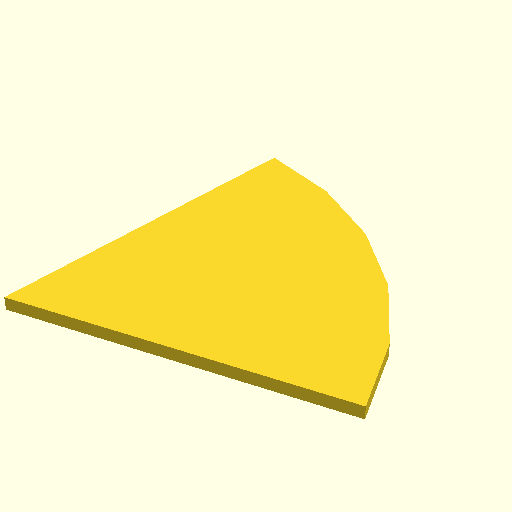
same for cylinder, why should it be missing
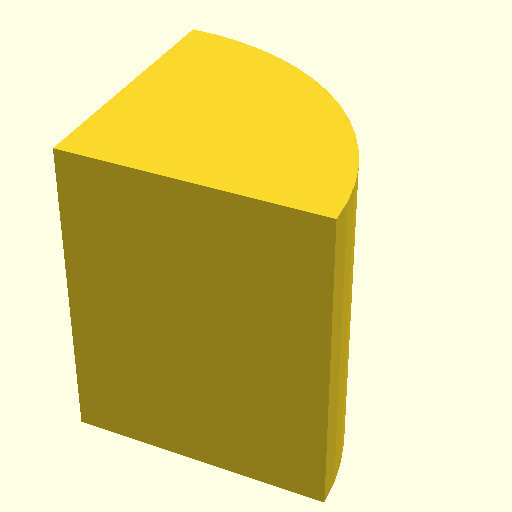
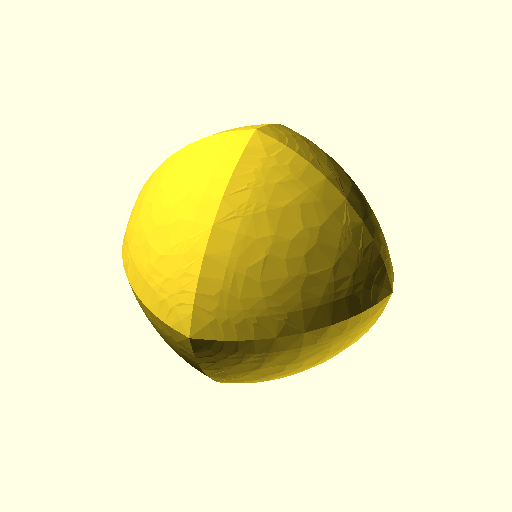
sphere can accept a function which receives a 3d vector and will output a radius
from pythonscad import *

def rfunc(v):
  cf = abs(v[0])+abs(v[1])+abs(v[2])+3
  return 10/cf
sphere(rfunc,fs=0.5,fn=10).show()
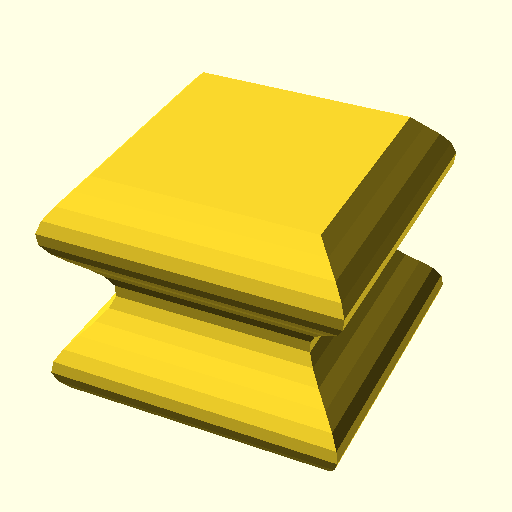
linear_extrude can also extrude a python function. this will get a height and shall return a 2d polygon
from pythonscad import *
from math import *
def xsection(h):
    v =5+sin(h)
    return [[-v,-v],[v,-v],[v,v],[-v,v]]

prisma = linear_extrude(xsection, height=10, slices=20)
prisma.show()
rotate_extrude can also extrude a python function. this will get a height and shall return a 2d polygon
from pythonscad import *
from math import *
def xsection(h):
    v =2*sin(4*pi*h)
    res=[[10+v,-v],[15-v,-v],[15-v,5+v],[10+v,5+v]]
    return res
rotate_extrude(xsection,fn=50).show()
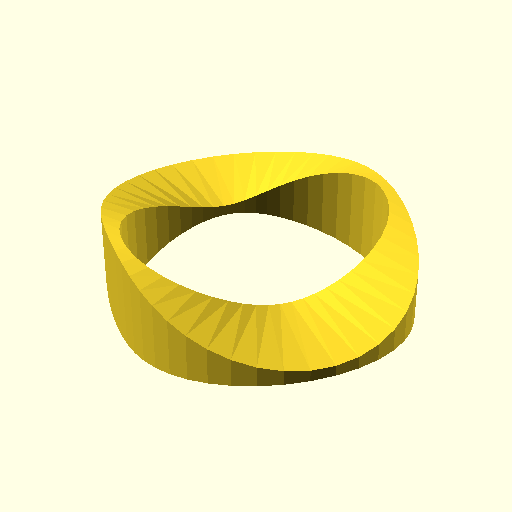
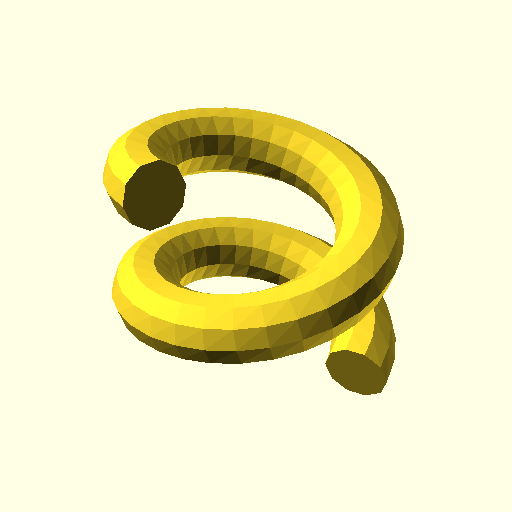
rotate_extrude has a v parameter , when not [0,0,0] it will do nice helix